
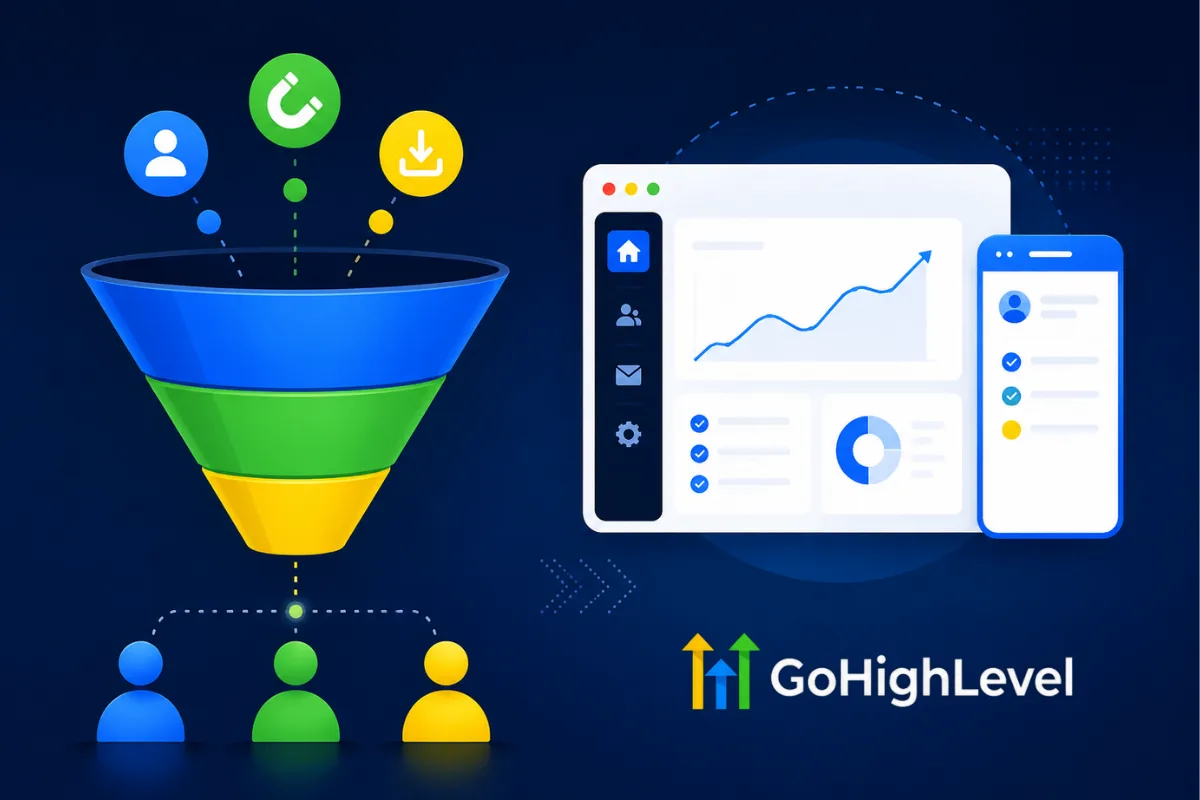
Most lead magnet funnels collect emails and collect dust. Someone downloads your PDF, gets a single "here's your download" email, and then never hears from you again. Or worse, they get dumped into a generic newsletter that has nothing to do with what they opted in for. That is not a funnel. That is a leaky bucket.
A real lead magnet funnel does three things: captures the lead, delivers immediate value, and systematically moves them toward a buying decision. GoHighLevel gives you every tool you need to build this entire system in one platform, no duct-taping five different apps together.
This guide walks you through building a lead magnet funnel from scratch in GoHighLevel, including the landing page, thank you page, delivery automation, and the nurture sequence that turns downloads into discovery calls.
What Makes a Lead Magnet Funnel Different From a Regular Funnel
A regular sales funnel pushes for a transaction. A lead magnet funnel trades value for contact information. The prospect gets something useful (a guide, checklist, template, calculator, quiz result) and you get their email address, phone number, and permission to follow up.
The difference is not just structural. It is strategic. A lead magnet funnel sits at the top of your sales process. Its job is not to close deals. Its job is to start relationships with people who are not ready to buy yet but have a problem you can solve.
For coaches and consultants, this matters more than almost any other business model. Your prospects are not impulse buyers. They need to trust you before they hand over $3,000 to $25,000 for a coaching program. The lead magnet funnel is where that trust begins.
“A lead magnet funnel trades value for contact information. The prospect gets something useful and you get permission to follow up.”
Choosing the Right Lead Magnet for Your Audience
Before you touch the funnel builder, you need to decide what you are giving away. The lead magnet determines everything: the quality of leads you attract, the conversion rate of your landing page, and how easy it is to transition from "free content consumer" to "paying client."
The Best Lead Magnet Formats for Coaches and Consultants
Checklists and cheat sheets. These convert the highest because they require the least commitment from the prospect. A "10-Point Discovery Call Checklist" or "Client Onboarding Cheat Sheet" provides immediate value in a format someone can consume in two minutes.
Templates and swipe files. Pre-built templates that solve a specific problem. Email scripts, proposal templates, content calendars, or pricing frameworks. These position you as someone who has already solved the problem they are dealing with.
Mini-guides (under 15 pages). Short, focused guides that address one specific pain point. "How to Book 10 Discovery Calls Per Week Without Cold DMs" works better than a 60-page ebook that tries to cover everything.
Quizzes and assessments. Interactive lead magnets that segment your audience automatically. A "What's Your Coaching Business Growth Score?" quiz qualifies leads as they answer questions, giving you data you can use to personalize the follow-up.
Calculators. Revenue calculators, ROI projections, or pricing tools that give prospects a personalized result. Havstock's Revenue Calculator is a good example of this format in action.
Lead Magnet Rules That Increase Conversion
Solve one specific problem. Generic guides attract generic leads. Specific guides attract buyers.
Promise a quick win. Something they can implement today, not a 90-day strategy.
Name it clearly. The title should describe the outcome, not the format. "The 5-Minute Client Onboarding Template" beats "Free PDF Download."
Keep it short. Longer does not mean better. A one-page checklist that gets used beats a 40-page guide that gets saved and forgotten.
Align it with your paid offer. If your coaching program helps people build funnels, your lead magnet should be about funnels, not random marketing tips.
“A one-page checklist that gets used beats a 40-page guide that gets saved and forgotten.”
Building Your Lead Magnet Funnel in GoHighLevel
Now let's build the actual funnel. GoHighLevel's funnel builder handles landing pages, forms, and thank you pages in one place.
Step 1: Create a New Funnel
Log into your GoHighLevel account. In the left sidebar, go to "Sites" and click "Funnels." Hit the "+ New Funnel" button. Select "Start from Scratch" or choose a template.
Name your funnel something descriptive like "Lead Magnet: Discovery Call Checklist" so you can identify it later.
Step 2: Build the Landing Page (Opt-In Page)
This is the page where visitors decide whether your lead magnet is worth their email address. Every element on this page either increases or decreases your conversion rate.
Headline formula: State the outcome + the mechanism + a timeframe or ease qualifier.
Examples:
"Book 10 Discovery Calls Per Week Using This Simple Script"
"The 5-Step Funnel Template That Converts Coaches at 15%+"
"Stop Losing Leads: The Follow-Up Sequence That Books Calls on Autopilot"
Page structure:
Headline (H1, above the fold, impossible to miss)
Subheadline (one sentence expanding on the promise)
Lead magnet mockup image (visual representation of what they are getting)
3-5 bullet points describing what is inside and why it matters
Opt-in form (name, email, phone number)
CTA button ("Get Your Free [Lead Magnet Name]" or "Download Now")
Social proof (testimonial or "Join 2,000+ coaches" type line)
Design principles for high conversion:
Remove navigation menus. The only action on this page is to opt in.
Use contrasting colors for the CTA button. It should be the most visually prominent element.
Keep the form above the fold on desktop. On mobile, the headline and first few bullets should be visible without scrolling.
Limit form fields. Name and email are usually enough. Add phone number only if you plan to use SMS in your follow-up.
Step 3: Build the Thank You Page
The thank you page is the most underutilized page in any funnel. Most people slap a "check your email" message on it and move on. That is a missed opportunity.
The thank you page is your first impression after someone raises their hand. They just told you they have the problem your lead magnet solves. Use this page to move them closer to a sale.
Thank you page options:
Option A: Video + Booking CTA. Record a 2-3 minute video thanking them, previewing the lead magnet, and inviting them to book a discovery call. Embed your GoHighLevel calendar widget directly on the page. This is the highest-converting approach for high-ticket offers.
Option B: Tripwire offer. Present a low-cost offer ($27-$97) that complements the lead magnet. "You just downloaded the checklist. Want the complete system? Get the full template for $47." This offsets your ad spend.
Option C: Simple delivery + next steps. Confirm their download is on the way. List 2-3 steps they should take next. Include a link to your best content (blog post, podcast episode, YouTube video) to keep them engaged.
For most coaching and consulting businesses, Option A delivers the highest ROI because it moves qualified leads directly to a sales conversation.
“The thank you page is your first impression after someone raises their hand. Use it to move them closer to a sale.”
Step 4: Set Up the Opt-In Form
In your landing page editor, add a form element. Connect it to a GoHighLevel form or create a new one.
Required fields: First name, email
Optional fields: Phone number (recommended if you will use SMS follow-up), one qualifying question
Form settings:
Set the form action to redirect to your thank you page
Enable double opt-in only if you are required to by law (it reduces conversions)
Tag contacts who submit this form with a descriptive tag like "Lead Magnet: Discovery Call Checklist"
Custom field for segmentation: If you serve multiple niches, add a dropdown asking "What best describes your business?" with 3-4 options. This data lets you personalize your follow-up sequence.
Step 5: Connect Your Domain and Publish
Go to "Settings" in your funnel, assign your custom domain (or use a GoHighLevel subdomain for testing), and click "Publish."
Test the entire flow yourself:
Load the landing page on mobile and desktop
Fill out the form
Confirm you land on the thank you page
Verify the contact was created in GoHighLevel with the correct tag
Check that the form data is captured properly
Fix anything that looks off before you drive traffic to it.
Building the Automated Follow-Up Sequence
The funnel captures the lead. The follow-up sequence converts them. This is where GoHighLevel's workflow automation turns a simple opt-in into a client acquisition machine.
The Lead Magnet Delivery Workflow
Trigger: Form submitted (your lead magnet form)
Immediate actions:
Send email with the lead magnet download link (or attach the file directly)
Add tag: "Lead Magnet: [Name]"
Add to pipeline: Move contact to "New Lead" stage in your sales pipeline
Internal notification: Alert your sales team (if applicable) via email or Slack webhook
This fires within seconds of the opt-in. Speed matters. The faster you deliver, the more likely they are to actually open and consume the lead magnet.
The Nurture Sequence
This is the money workflow. It runs over 7-14 days and systematically builds trust, demonstrates expertise, and moves the prospect toward booking a discovery call.
Day 0 (10 minutes after delivery):
Send SMS: "Hey [first name], just sent your [lead magnet name] to your email. Let me know if you have any questions about it. - [Your name]"
This personal text gets replies. When someone replies to your SMS, they move from "anonymous download" to "active conversation."
Day 1:
Send email: "Quick tip" related to the lead magnet topic. Add value. Share one insight that is not in the lead magnet itself. Sign off with a soft CTA: "If you want help implementing this, I have a few spots open for discovery calls this week."
Day 3:
Send email: Case study or client story. Show what happens when someone actually implements the advice from the lead magnet. Real results, real numbers, real names (with permission). End with a link to book a call.
Day 5:
Send SMS: "Quick question, [first name]. Did you get a chance to go through the [lead magnet]? Curious what stood out to you."
Another conversation starter. This SMS often gets responses from people who read the emails but did not reply.
Day 7:
Send email: Address the #1 objection. For coaches, this is usually "I'm not sure this will work for my specific situation." Tackle it head-on with specifics. Include a booking link.
“The personal text gets replies. When someone replies to your SMS, they move from anonymous download to active conversation.”
Day 10:
Send email: Share a piece of content (blog post, video, podcast episode) that goes deeper on the topic. Position yourself as the authority. Include a soft CTA.
Day 12:
Send email: Direct pitch. "I have [X] spots available for [program name] this month. Here is what is included, who it is for, and what results you can expect. Book a call to see if it is the right fit." No soft sell. Straight offer.
Day 14:
Send email: Final follow-up. "I sent you some resources over the past two weeks. If now is not the right time, no worries. But if you have been thinking about [solving X problem], the fastest way to get started is a quick call. Here is my calendar."
Exit Conditions
Add these exit conditions to your nurture workflow:
If contact books an appointment: Exit workflow, trigger appointment confirmation workflow
If contact replies "not interested" (or similar): Exit workflow, add to long-term newsletter only
If contact unsubscribes: Exit workflow, remove from all sequences
Without exit conditions, you will send "book a call" emails to people who already booked a call three days ago. That is a terrible experience that damages trust.
Optimizing Your Lead Magnet Funnel for Higher Conversions
Building the funnel is step one. Optimizing it is where the real results come from.
Landing Page Optimization
Test your headline. The headline is responsible for 80% of your landing page conversion rate. Run A/B tests in GoHighLevel by duplicating your funnel step and testing different headlines against each other.
Headlines to test:
Outcome-focused vs. pain-focused
Specific numbers vs. general promises
Short (under 10 words) vs. longer (15-20 words)
Test your CTA button. "Download Now" vs. "Get Your Free Guide" vs. "Send Me the Checklist" can vary conversion rates by 10-20%. The more specific and action-oriented, the better.
Test form length. Name + email converts higher than name + email + phone. But if your follow-up relies on SMS, the phone number is worth the drop in conversion rate because the leads are more qualified.
Email Sequence Optimization
Monitor open rates. If open rates drop below 20% on any email in your sequence, rewrite the subject line. Good nurture sequence open rates are 30-45%.
Monitor reply rates. If nobody replies to your SMS messages, the message is too salesy or too generic. Rewrite it to sound like a text from a real person, not a marketing automation.
Monitor click-through rates on booking links. If people are opening emails but not clicking the booking link, your CTA is not compelling enough or the offer is not clear.
Funnel Metrics to Track
These numbers give you a clear picture of where your funnel is strong and where it needs work. If your landing page converts at 35% but your lead-to-appointment rate is 2%, the problem is not traffic. The problem is your nurture sequence.
“If your landing page converts at 35% but your lead-to-appointment rate is 2%, the problem is not traffic. The problem is your nurture sequence.”
Advanced Strategies for Lead Magnet Funnels
Segment by Lead Magnet
If you offer multiple lead magnets (and you should), tag contacts by which one they downloaded. Then customize the nurture sequence for each segment.
Someone who downloaded a "Pricing Your Coaching Program" guide has different needs than someone who downloaded a "How to Get Clients on Instagram" checklist. Sending them the same follow-up sequence wastes the segmentation data you collected.
Retargeting Warm Traffic
Install the Facebook Pixel and Google Tag on your funnel pages. Create custom audiences of:
People who visited the landing page but did not opt in (retarget with the same offer)
People who opted in but did not book a call (retarget with a testimonial or case study ad)
People who visited the thank you page (retarget with a direct booking CTA)
This creates multiple touchpoints beyond email and SMS, keeping you visible even when they are scrolling social media.
Quiz Funnels as Lead Magnets
Instead of a static PDF, build an interactive quiz using GoHighLevel's survey/form builder. Quizzes accomplish two things simultaneously:
They qualify leads by asking diagnostic questions
They segment leads based on their answers
A "What's Holding Your Coaching Business Back?" quiz can route leads into different nurture sequences based on their results. Someone struggling with lead generation gets different follow-up content than someone struggling with sales calls.
The personalization dramatically increases conversion rates because every message feels relevant.
Evergreen Webinar Funnel Variation
Replace the static lead magnet with an on-demand webinar. The funnel structure is similar:
Registration page (opt-in)
Webinar page (delivers the training)
Booking page (CTA to schedule a call)
The webinar format lets you demonstrate expertise in a more engaging way than a PDF. For high-ticket coaching programs, a 30-45 minute webinar that teaches one key concept and ends with a call booking CTA consistently outperforms static lead magnets.
The Webinar OS template includes a complete webinar funnel with registration pages, automated reminders, replay sequences, and post-webinar follow-up workflows pre-built for GoHighLevel.
Common Lead Magnet Funnel Mistakes
Creating a Lead Magnet Nobody Wants
The most beautiful funnel in the world converts at 0% if the lead magnet does not solve a real, specific problem your audience cares about. Before building anything, validate the topic. Ask your existing clients what their biggest challenge was before working with you. That answer is your lead magnet topic.
Overcomplicating the Landing Page
Every extra element on your landing page is a potential distraction. Navigation menus, footer links, multiple CTAs, long blocks of text, all of it gives visitors a reason to click somewhere other than your opt-in form. Simplify ruthlessly.
Neglecting Mobile
Over 60% of funnel traffic comes from mobile devices. If your landing page is not optimized for mobile, you are losing more than half your potential leads. Test every page on a real phone, not just the mobile preview in the editor.
Sending Only Emails
Email is important. But combining email with SMS and, where appropriate, voicemail drops creates a multi-channel experience that dramatically outperforms email-only sequences. GoHighLevel supports all three in a single workflow.
Not Following Up Enough
Most businesses give up after 2-3 emails. The data consistently shows that most conversions happen between touchpoint 5 and 12. Your 14-day nurture sequence is not "too much." Stopping at day 3 is not enough.
“Most conversions happen between touchpoint 5 and 12. Stopping at day 3 is not enough.”
FAQ
What is a lead magnet funnel?
A lead magnet funnel is a marketing system that offers something valuable for free (like a guide, checklist, or template) in exchange for a prospect's contact information. The funnel then uses automated follow-up sequences to build trust and move the prospect toward a sales conversation or purchase.
How long should my lead magnet be?
Shorter is almost always better. A one-page checklist or 3-5 page mini-guide outperforms a 50-page ebook. The goal is to deliver a quick win that demonstrates your expertise, not to give away your entire methodology. Keep it focused on solving one specific problem.
What conversion rate should I expect from my lead magnet landing page?
A well-optimized lead magnet landing page should convert between 25% and 40% of visitors. If you are below 20%, your headline, offer, or page design needs work. If you are above 40%, you have a strong offer. Cold traffic from ads typically converts lower (15-25%) than warm traffic from social media or content (30-50%).
How many emails should be in my nurture sequence?
A 7-14 day sequence with 5-8 emails works well for most coaching and consulting businesses. Shorter sequences do not give prospects enough time to build trust. Longer sequences risk losing attention. Combine emails with 2-3 SMS messages for best results.
Should I gate my lead magnet behind a phone number field?
It depends on your follow-up strategy. If you plan to use SMS in your nurture sequence (which you should), ask for the phone number. Yes, it will reduce your opt-in rate by 10-20%. But the leads you get will be more qualified and more likely to convert because you have an additional channel to reach them.
Can I use GoHighLevel to host my lead magnet file?
Yes. You can upload PDFs and other files to GoHighLevel's media library and link to them directly in your delivery email. Alternatively, you can host the file on Google Drive or Dropbox and link to it. For video lead magnets, embed them on your thank you page using Vimeo or YouTube.
How do I drive traffic to my lead magnet funnel?
The most effective channels for coaching and consulting lead magnets are Facebook/Instagram ads, organic social media content that teases the lead magnet topic, guest podcast appearances with a CTA to download, and SEO-optimized blog content (like this post) that links to the opt-in page. Start with one channel, optimize it, then expand.
What if my lead magnet funnel is not converting?
Diagnose where the drop-off happens. If your landing page is not converting, test a new headline or simplify the page. If people opt in but do not open your emails, test new subject lines. If they open but do not book calls, your nurture content is not building enough trust or your CTA is weak. Fix the weakest link first.
Ready to build your first lead magnet funnel without starting from scratch? The Lead Magnet OS includes a complete funnel template with landing pages, thank you pages, and automated nurture workflows, all pre-built for GoHighLevel. Import it, customize it, and start capturing leads today.