
Most coaches and consultants have no idea how many deals they are actually working at any given time. They know they had some calls last week. They think they sent a few proposals. But when you ask them how many active opportunities are sitting in their pipeline right now, they go quiet. That is the gap that kills revenue.
Pipeline management is not a nice-to-have. It is the operating system of your sales process. Without it, leads slip through cracks, follow-ups get missed, and deals that should close just fade away. Inside GoHighLevel, pipelines and opportunities give you a visual, automated system to track every prospect from first contact to closed deal.
This guide covers everything you need to set up, optimize, and automate your pipeline in GoHighLevel. Whether you are a solo consultant tracking 10 deals or an agency managing hundreds, the system works the same way.
What Is a Pipeline in GoHighLevel?
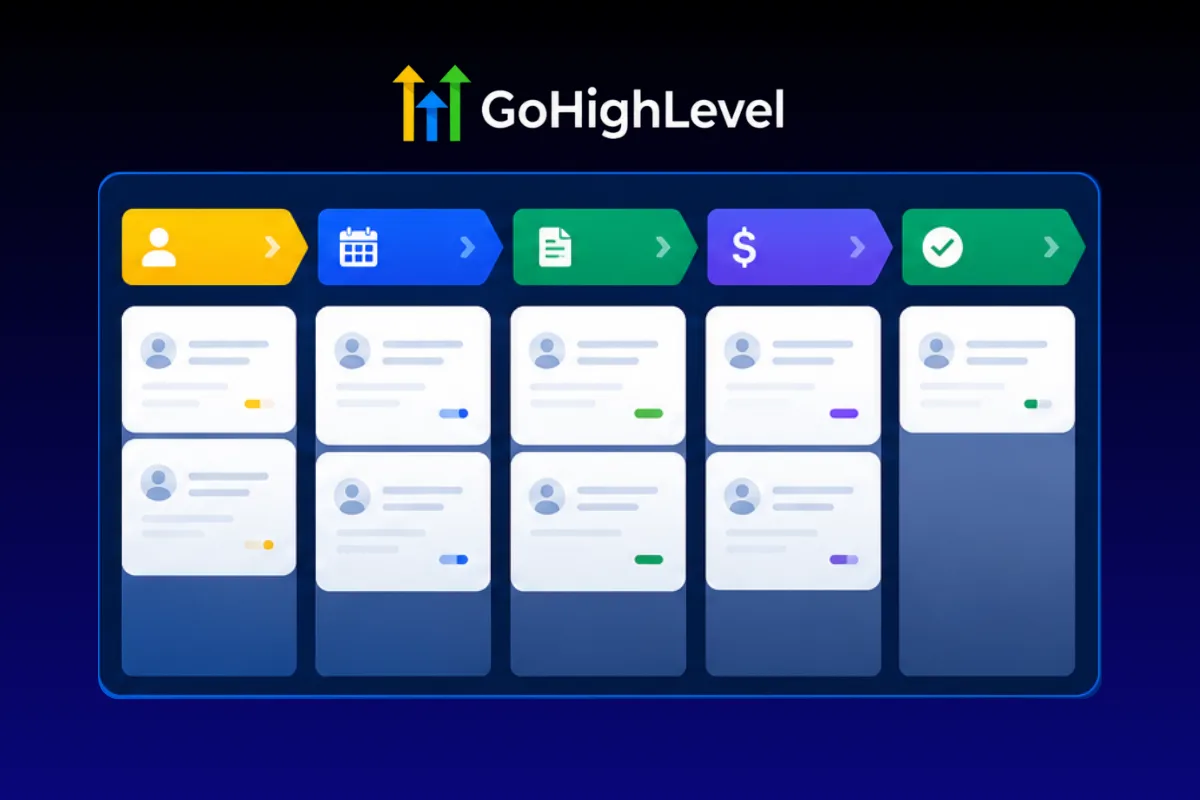
A pipeline is a visual representation of your sales process. Think of it as a Kanban board where each column is a stage in your sales journey, and each card is a deal (called an "opportunity" in GoHighLevel).
When a lead enters your world, they become an opportunity. As they progress through your sales process, you move them from one stage to the next. Booked a call? Move them to "Call Scheduled." Had the call? Move them to "Call Completed." Sent a proposal? "Proposal Sent." And so on, until they land in "Closed Won" or "Closed Lost."
The beauty of this system is visibility. At any moment, you can open your pipeline and see exactly how many deals are at each stage, what their combined value is, and which ones need attention today.
“Pipeline management is not a nice-to-have. It is the operating system of your sales process.”
Why Coaches and Consultants Need Pipelines
If you sell high-ticket services, your sales cycle is not instant. Prospects do not see an ad, click a link, and pay $5,000 in the same session. There is a process: awareness, interest, application, call, proposal, decision, payment.
Without a pipeline:
- You forget to follow up with the prospect who said "let me think about it" three days ago
- You have no idea whether you are going to hit your revenue goal this month
- You cannot identify where deals are dying in your process
- You waste time on prospects who were never going to buy
- Your team (if you have one) has no shared view of what is happening
With a pipeline:
- Every deal is visible and accounted for
- Follow-ups happen automatically
- You can forecast revenue based on pipeline value and stage conversion rates
- You spot bottlenecks instantly (too many deals stuck at "Proposal Sent" means your proposals need work)
- Your team operates from a single source of truth
How to Set Up Your First Pipeline
Log into your GoHighLevel account. Navigate to Opportunities, then click "Pipelines" at the top. Click "Create Pipeline."
Naming Your Pipeline
Name it something functional. "Sales Pipeline" works. If you sell multiple services or have distinct sales processes, you might create separate pipelines for each. For example: "High Ticket Coaching Pipeline" and "Group Program Pipeline."
Designing Your Stages
This is the most important decision you will make. Your stages should mirror your actual sales process, not some generic template you found online.
Here is a stage structure that works for most coaches and consultants selling high-ticket services:
Stage 1: New Lead
The prospect has entered your world but has not taken any qualifying action yet. They might have opted in for a lead magnet, visited your website, or been referred to you. This is your awareness stage.
Stage 2: Application Submitted
The prospect has filled out your qualification form or application. You now have enough information to determine if they are a good fit. At this stage, you review their application and decide whether to offer a call.
Stage 3: Call Scheduled
The prospect has booked a discovery or strategy call. They are qualified and interested enough to invest their time. The clock is ticking. Your show-up sequence should be running.
Stage 4: Call Completed
The call happened. You now need to make a decision: are they a fit? If yes, the next step is to present your offer or send a proposal. If not, move them to a nurture sequence or Closed Lost.
Stage 5: Proposal Sent
You have presented your offer, sent pricing, or shared a proposal document. This is the highest-leverage stage in your pipeline. The prospect is deciding. Your follow-up here determines whether the deal closes or dies.
“The "Proposal Sent" stage is where most deals go to die. Your follow-up here determines everything.”
Stage 6: Negotiation
The prospect has questions, objections, or needs to discuss terms. Not every deal goes through this stage, but having it prevents you from losing track of deals that are not a clean yes-or-no.
Stage 7: Closed Won
The deal is done. Payment collected. Client onboarded. Celebration earned.
Stage 8: Closed Lost
The deal did not happen. This stage is just as important as Closed Won. Tag these opportunities with a reason (too expensive, bad timing, chose competitor, went silent) so you can analyze patterns later.
Setting Monetary Values
GoHighLevel lets you assign a dollar value to each opportunity. This is critical for forecasting. When you create an opportunity, set the value to your program's price.
With values assigned, your pipeline dashboard shows you:
- Total pipeline value (all active deals combined)
- Value per stage (how much revenue is sitting at each step)
- Weighted pipeline value (stage value multiplied by historical close rate)
If you have $50,000 worth of deals at "Proposal Sent" and your close rate from that stage is 40 percent, your weighted forecast is $20,000. This is how real businesses forecast revenue, not by hoping.
Automating Your Pipeline with Workflows
Setting up stages manually is useful. Automating the movement between stages with GoHighLevel workflows is where the real power lives.
Automation 1: New Lead to Application Submitted
Trigger: Form submission (your application or qualification form)
Action: Create or update opportunity, move to "Application Submitted" stage
This workflow fires every time someone completes your application form. It automatically creates an opportunity in your pipeline, assigns the contact's name and email, and places them at the correct stage. No manual entry needed.
Automation 2: Application Submitted to Call Scheduled
Trigger: Calendar event created
Action: Move opportunity to "Call Scheduled" stage
When a qualified lead books a call through your GoHighLevel calendar, this workflow moves their opportunity card forward. You can also trigger your show-up reminder sequence from this same workflow.
Automation 3: Call Scheduled to Call Completed
Trigger: Calendar event status changed to "completed" (or manual tag application)
Action: Move opportunity to "Call Completed" stage, create a follow-up task
After the call, move the deal forward and create a task reminding you to send the proposal within 24 hours. Speed matters here. The longer you wait to send the proposal after the call, the lower your close rate.
“The longer you wait to send the proposal after a call, the lower your close rate drops.”
Automation 4: Proposal Sent Follow-Up Sequence
Trigger: Opportunity moved to "Proposal Sent" stage
Action: Start a timed follow-up sequence
This is the money sequence. Here is the timing that works:
Day 1 (same day): Email the proposal or payment link. Keep it clean. Recap what you discussed, restate the outcome, include the link.
Day 2: SMS: "Hey [First Name], just making sure you got the proposal I sent yesterday. Any questions I can answer?"
Day 4: Email with a case study or testimonial from a similar client. Subject line: "This is what [Client Name] did in 90 days"
Day 7: SMS: "Hey [First Name], wanted to check in. Are you leaning toward moving forward or is there something holding you back? Happy to jump on a quick call."
Day 10: Email: "Decision time" framing. Not aggressive, but direct. Summarize the cost of waiting and the opportunity on the table.
Day 14: Final follow-up. SMS: "Hey [First Name], I am going to close out your application this week unless you want to move forward. No pressure, just want to keep things organized on my end. Let me know either way."
This sequence respects the prospect's time while maintaining consistent contact. Most deals close between Day 2 and Day 7. The Day 14 message is a pattern interrupt that often gets a response from people who went quiet.
Automation 5: Closed Won Onboarding
Trigger: Opportunity moved to "Closed Won"
Action: Trigger onboarding workflow, send welcome email, create onboarding tasks, add to client pipeline
When a deal closes, you should not be scrambling to figure out what happens next. The automation sends a welcome email with next steps, creates onboarding tasks for your team, and optionally moves the contact into a separate "Client Success" pipeline to track delivery.
Pipeline Reporting and Analytics
GoHighLevel provides built-in pipeline reporting that shows you:
Conversion Rate by Stage
This tells you what percentage of deals move from one stage to the next. If 100 leads enter your pipeline and only 30 book a call, your "New Lead to Call Scheduled" conversion is 30 percent. If 30 people take calls but only 6 close, your "Call Completed to Closed Won" conversion is 20 percent.
Where the conversion drops, that is where your problem lives.
- Low application-to-call rate? Your calendar page or follow-up sequence needs work.
- Low call-to-proposal rate? Your sales conversations are not landing.
- Low proposal-to-close rate? Your pricing, proposal, or follow-up is off.
Average Time in Stage
This shows how long deals sit at each stage before moving forward or dying. If your average "Proposal Sent" duration is 21 days, your follow-up is too passive or your pricing is creating friction.
Healthy benchmarks for high-ticket coaching and consulting:
- New Lead to Call Scheduled: 1 to 3 days
- Call Scheduled to Call Completed: 3 to 7 days
- Call Completed to Proposal Sent: 0 to 1 day
- Proposal Sent to Closed Won/Lost: 3 to 14 days
Revenue Forecasting
With monetary values assigned and historical conversion rates established, you can forecast with surprising accuracy:
Pipeline Value x Stage Conversion Rate = Weighted Forecast
If you need $30,000 this month and your pipeline currently shows $80,000 in active deals with a 40 percent average close rate, you are at $32,000 weighted. You will probably hit your number. If it shows $50,000 at 40 percent, you are at $20,000 weighted and need to fill the top of the funnel.
“Revenue forecasting removes the guesswork. You either have enough pipeline or you do not.”
Building Multiple Pipelines
As your business grows, a single pipeline might not be enough. Here are scenarios where multiple pipelines make sense:
Service-Based Pipelines
If you sell different services at different price points (one-on-one coaching at $10,000, a group program at $2,000, and a course at $500), create separate pipelines for each. The sales process for a $10,000 program is fundamentally different from a $500 course.
Team-Based Pipelines
If you have multiple sales reps or closers, you might create individual pipelines or use GoHighLevel's pipeline filters to view deals by assigned user. This gives each rep accountability and gives you management visibility.
Client Delivery Pipelines
Pipelines are not just for sales. You can create a "Client Delivery" pipeline with stages like "Onboarding," "Week 1 Check-In," "Mid-Point Review," "Final Delivery," and "Testimonial Request." This keeps your fulfillment process as visible and organized as your sales process.
Pipeline Hygiene: Keeping Your Data Clean
A pipeline is only useful if the data is accurate. Here are the rules that keep things clean.
Weekly Pipeline Review
Block 30 minutes every Monday to review your pipeline. For each open opportunity, ask:
- Is this deal still active?
- When was the last meaningful contact?
- What is the specific next step?
- Is the estimated value still accurate?
Move stale deals to Closed Lost. Update values. Add notes. This weekly discipline is worth more than any automation.
Stale Deal Rules
Set a rule: if a deal has had no activity for 14 days, it needs action. Either follow up or close it out. GoHighLevel workflows can automate this by sending you a notification when an opportunity has been idle for a set number of days.
“A pipeline full of stale deals gives you a false sense of security. Clean it weekly or it is useless.”
Tagging Closed Lost Reasons
Every time you mark a deal as Closed Lost, tag it with a reason. After a quarter, review the tags. If "too expensive" is your top reason, you have a pricing or value communication problem. If "went silent" dominates, your follow-up sequence needs work.
Opportunity Source Tracking
Tag each opportunity with its source (Facebook Ads, organic, referral, webinar, etc.). This lets you calculate your cost per opportunity and revenue per opportunity by channel. You might discover that referral leads close at 50 percent while Facebook leads close at 15 percent. That changes how you allocate your budget.
Advanced Pipeline Strategies
Lead Scoring Integration
GoHighLevel does not have native lead scoring, but you can build it with custom fields and workflows. Create a numeric custom field called "Lead Score" and set up workflows that add points based on behavior:
- Opened email: +1
- Clicked link: +2
- Visited pricing page: +5
- Submitted application: +10
- Booked call: +15
Then create a workflow that automatically moves high-scoring leads to a priority follow-up sequence or alerts your sales team.
Re-Engagement Campaigns for Closed Lost
Those Closed Lost deals are not dead forever. Create a quarterly re-engagement campaign:
- Filter pipeline for Closed Lost opportunities from the last 90 days
- Exclude anyone who explicitly said "not interested"
- Send a sequence: new case study, updated offer, or invitation to a free training
- If they re-engage, create a new opportunity and move them back into the pipeline
This is low-effort, high-return outreach. The prospect already knows who you are. They just were not ready before.
Pipeline Velocity Metrics
Pipeline velocity measures how fast deals move through your pipeline. The formula:
Number of Deals x Average Deal Value x Win Rate / Average Sales Cycle Length = Pipeline Velocity
A higher velocity means more revenue in less time. You can improve velocity by:
- Increasing the number of qualified deals (better lead gen)
- Increasing average deal value (upsells, premium positioning)
- Improving win rate (better sales process, follow-up)
- Shortening sales cycle (faster follow-up, better urgency)
Track this monthly. It is the single best health metric for your sales operation.
“Pipeline velocity is the single best health metric for your sales operation. Track it monthly.”
Connecting Your Pipeline to the Rest of GoHighLevel
One of the biggest advantages of using GoHighLevel for pipeline management is that everything connects natively.
Funnels feed the pipeline. When someone completes a funnel step (applies, books a call), a workflow creates the opportunity automatically.
Calendars move the pipeline. Calendar events trigger stage movements. No manual dragging cards around.
Email and SMS work inside the pipeline. You can trigger communication sequences based on stage changes, idle time, or deal value.
Reporting closes the loop. The dashboard shows pipeline value, conversion rates, and revenue attribution without exporting to spreadsheets.
This is the difference between using GoHighLevel as a collection of disconnected tools and using it as an actual operating system for your business.
If you want a complete pipeline and funnel system pre-built and ready to customize, check out the High Ticket OS. It includes the sales pipeline, the discovery call funnel, the automation workflows, and the follow-up sequences. Import the snapshot and have your entire sales operation running the same day.
FAQ
How many pipeline stages should I have?
Five to eight stages is the sweet spot for most coaches and consultants. Fewer than five and you lose visibility into where deals are. More than eight and you create unnecessary complexity that leads to data entry fatigue. Your stages should reflect actual decision points in your sales process, not micro-steps.
Can I have multiple pipelines in GoHighLevel?
Yes. You can create as many pipelines as you need. Use separate pipelines for different services, price points, or sales processes. You can also create non-sales pipelines for client delivery, onboarding, or partner management. Each pipeline operates independently with its own stages and reporting.
How do I move opportunities between stages automatically?
Use GoHighLevel workflows. Set triggers based on events (form submitted, calendar event booked, tag applied, email replied) and add a "Create/Update Opportunity" action that moves the contact to the desired pipeline stage. This eliminates manual card dragging and ensures your pipeline stays current.
What should I do with stale opportunities?
Set a 14-day inactivity rule. If a deal has had no meaningful contact in 14 days, either send a follow-up or move it to Closed Lost. Stale deals inflate your pipeline value and give you a false sense of security. Use GoHighLevel workflows to send automated notifications when opportunities go idle.
How do I calculate pipeline velocity?
Pipeline velocity equals the number of deals multiplied by average deal value multiplied by win rate, divided by average sales cycle length in days. For example: 20 deals multiplied by $5,000 multiplied by 30 percent close rate, divided by 14 days average cycle equals $2,143 per day. Track this monthly to gauge your sales operation's health.
Should I track every lead in my pipeline or just qualified ones?
Only qualified leads should enter your pipeline. Use a separate system (tags, smart lists, or a separate "Lead Nurture" pipeline) for unqualified contacts. If you dump every lead into your sales pipeline, the noise will make the data useless. Your pipeline should represent real sales conversations, not a list of everyone who ever gave you their email.
How do I use pipeline data to improve my sales process?
Look at stage-to-stage conversion rates. Where the biggest drop-off happens, that is your bottleneck. Low show-up rates mean your reminder sequence needs work. Low close rates after calls mean your sales process needs refinement. Low proposal-to-close rates mean your follow-up or pricing is off. Fix the biggest bottleneck first.
Can I assign different team members to pipeline opportunities?
Yes. Each opportunity in GoHighLevel can be assigned to a specific user. You can set up round-robin assignment via workflows, filter the pipeline view by assigned user, and track individual performance metrics. This is essential once you have more than one person handling sales.
Take Control of Your Sales Process Today
If you have read this far, you already know that managing your sales process with sticky notes, memory, and scattered spreadsheets is not working. A proper pipeline gives you clarity, accountability, and the data you need to make smart decisions about where to focus your time and money.
GoHighLevel gives you everything you need to build this system. Pipelines, automations, calendar, email, SMS, and reporting all in one platform. The question is not whether you need it. The question is how much revenue you are leaving on the table by not having it.
Ready to stop guessing and start tracking every deal from first contact to close? The High Ticket OS gives you a complete pipeline, funnel, and automation system pre-built. Import it, customize it, and have your entire sales operation running today.