
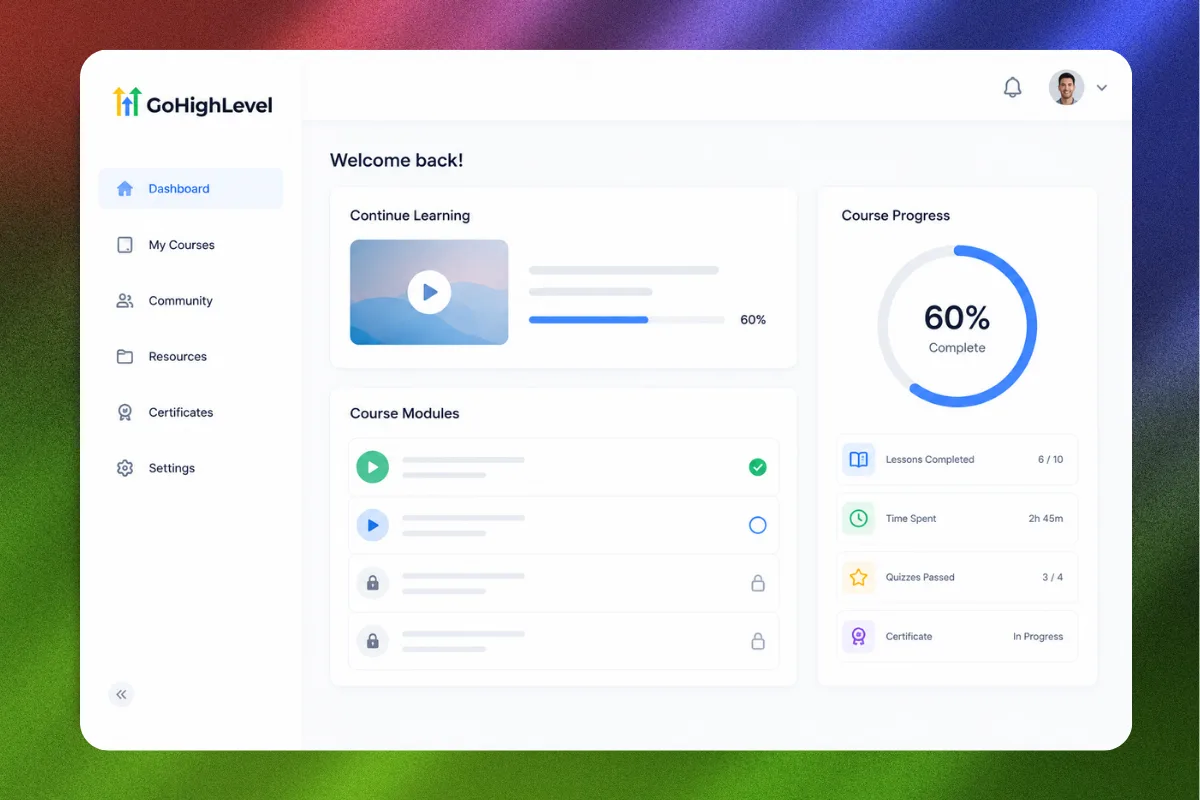
Most coaches and consultants are paying for a separate course platform when the tool they already use can do the same job. Teachable, Thinkific, Kajabi: they all add another monthly bill, another login, another place where student data lives outside your CRM. And every time a client finishes a module, you have no automatic way to trigger follow-up, upsells, or pipeline movement inside your main system.
GoHighLevel changed that when they rolled out the membership area feature. Now you can build, host, and deliver digital courses and programs directly inside the platform where you already manage contacts, run automations, and close deals. No Zapier bridges. No webhook gymnastics. Just one platform doing what used to require three or four.
This guide covers everything you need to set up a membership site in GoHighLevel, from structuring your course content to automating the student experience and tracking engagement.
Why Deliver Courses Inside GoHighLevel
Before we get into the setup, it helps to understand why consolidating your course delivery into GHL makes operational sense.
One Platform, One Data Source
Every tool you add to your stack creates a data silo. Your course platform knows who completed Module 3. Your CRM knows who booked a discovery call. Your email tool knows who opened last Tuesday's campaign. But none of them talk to each other without duct tape integrations.
When your course lives inside GoHighLevel, student behavior feeds directly into your CRM. You can trigger automations based on course completion, lesson access, or login activity. A student who finishes your foundation module can automatically get tagged, moved to a new pipeline stage, and sent an upsell offer for your advanced program. All without leaving the platform.
Lower Monthly Costs
Standalone course platforms range from $39/month on the low end to $399/month or more for advanced features. If you are already paying for GoHighLevel, the membership feature comes included at no extra cost. For a coaching business running three or four tools, consolidating into GHL can save $200 to $500 per month.
“When your course lives inside your CRM, student behavior becomes marketing data.”
Better Student Experience
Students get a single login that gives them access to course content, community features, and any resources you share. There is no confusion about "which platform do I log into for the video lessons?" Everything lives under one roof with your branding on it.
Setting Up Your First Membership Site
Here is the step-by-step process for building a membership area inside GoHighLevel.
Step 1: Navigate to Memberships
Log into your GoHighLevel sub-account. In the left sidebar, click on "Memberships." If you do not see this option, make sure the feature is enabled in your sub-account settings under "Labs" or check with your agency admin.
Click "Create Course" and choose between starting from scratch or using a template. For your first setup, starting from scratch gives you better control over the structure.
Step 2: Define Your Course Structure
Before building anything, map out your content hierarchy:
- Course: The top-level container (e.g., "High Ticket Coaching Accelerator")
- Category/Module: Groups of related lessons (e.g., "Module 1: Foundations")
- Lesson: Individual content pieces (e.g., "Lesson 1.3: Pricing Your Offer")
A typical coaching program might look like this:
- Module 1: Foundations (4 lessons)
- Module 2: Offer Creation (5 lessons)
- Module 3: Funnel Build (6 lessons)
- Module 4: Launch Strategy (4 lessons)
- Module 5: Scale and Optimize (3 lessons)
Each lesson can contain video, text, downloadable resources, or a combination. GoHighLevel supports video hosting through its native player or embeds from Vimeo, YouTube, or Wistia.
Step 3: Build Your Lessons
Click into a module and start adding lessons. For each lesson:
- Add a title and description
- Upload or embed your video content
- Add supplementary text below the video
- Attach downloadable files (PDFs, worksheets, templates)
- Set drip scheduling if you want to release content over time
“The best membership sites do not dump everything at once. Drip content keeps students engaged and prevents overwhelm.”
Step 4: Configure Access Levels
GoHighLevel lets you create multiple "offers" for the same course, each with different access permissions. This is powerful because it means you can:
- Offer a "Lite" version with access to Modules 1-3
- Offer a "Full" version with access to all modules
- Offer a "VIP" version with all modules plus bonus content
Each offer gets its own price point and access configuration. Students see only the content their offer includes.
Step 5: Set Up Payment
Connect your Stripe account (if not already connected) and configure pricing for each offer. Options include:
- One-time payment
- Recurring subscription
- Payment plan (e.g., 3 payments of $497)
- Free access (useful for lead magnets or bonus content)
GoHighLevel handles the checkout flow natively. When someone purchases, they automatically get a membership account and access to the course content tied to that offer. No manual provisioning needed.
Step 6: Customize the Look
Brand your membership area to match your business. You can customize:
- Logo and favicon
- Primary and accent colors
- Custom domain (e.g., courses.yourdomain.com)
- Welcome page content
- Category thumbnails and descriptions
Spending 20 minutes on branding makes the difference between a membership site that feels professional and one that looks like a default template.
Automating the Student Journey
Setting up the course is the easy part. The real leverage comes from automating what happens around the course. This is where GoHighLevel's workflow engine turns a static membership site into a dynamic student experience.
New Student Onboarding Workflow
When someone purchases your course, trigger an onboarding workflow:
- Welcome email with login credentials and a quick-start guide
- SMS reminder 24 hours later: "Have you logged in yet? Your first lesson is ready."
- Tag the contact as "Active Student" in your CRM
- Move them to the "Enrolled" stage in your coaching pipeline
- Notify your team (if applicable) via internal notification
This sequence runs automatically the moment payment processes. No manual work.
“Automation is not about removing the human touch. It is about making sure the human touch happens at the right moment, every single time.”
Course Completion Triggers
GoHighLevel tracks lesson and module completion. You can use this data to trigger workflows:
- Module completion: Send a congratulations email and unlock a bonus resource
- Course completion: Trigger an upsell sequence for your next program
- Inactivity: If a student has not logged in for 7 days, send a re-engagement nudge
These triggers turn passive content consumption into active pipeline movement. A student who finishes your starter course is a warm lead for your premium offer. The workflow ensures that transition happens without you manually checking who finished what.
Engagement-Based Segmentation
Use custom fields and tags to segment students based on their course behavior:
- "Completed Module 1" through "Completed Module 5"
- "Active Last 7 Days" vs. "Inactive 14+ Days"
- "Course Completed" vs. "In Progress"
This segmentation feeds your email marketing. Active students get different messaging than inactive ones. Completers get upsell campaigns. Drop-offs get win-back sequences.
Drip Content Strategy
Drip scheduling releases lessons on a timeline rather than making everything available immediately. Here is why this matters and how to configure it.
Why Drip Works
Dumping a 20-lesson course on someone the day they enroll is a recipe for overwhelm. They log in, see the wall of content, and freeze. Or worse, they binge the first three lessons and never come back.
Drip content creates a rhythm. Students get one lesson per day or one module per week, depending on your format. Each new release gives them a reason to come back, and it gives you a natural trigger point for engagement emails.
How to Configure Drip in GHL
In your course settings, toggle on drip scheduling for each lesson or module. You have two options:
- Fixed schedule: Content unlocks on specific dates (good for cohort-based programs)
- Relative schedule: Content unlocks X days after enrollment (good for evergreen programs)
For most coaching programs, relative drip with 2-3 days between lessons strikes the right balance. It gives students time to implement before moving on without letting the momentum die.
“Drip content is not about withholding value. It is about pacing the transformation.”
Combining Drip with Automations
When a new lesson unlocks, trigger a notification workflow:
- Email: "Your next lesson is ready: [Lesson Title]"
- SMS: "New lesson available in your dashboard. [Link]"
- If the lesson is not viewed within 48 hours: follow-up reminder
This combination of drip scheduling and automated nudges dramatically increases course completion rates. Most online courses see a 5-15% completion rate. With proper drip and engagement automation, you can push that above 40%.
Monetization Strategies
A membership site inside GoHighLevel opens up multiple revenue streams beyond a single course sale.
Tiered Access
Create multiple offers at different price points:
- Starter ($97): Core modules only
- Professional ($297): All modules plus templates
- VIP ($997): Everything plus group coaching calls and Slack access
Each tier maps to a different offer in GHL, with access controlled automatically.
Recurring Membership
Instead of a one-time course sale, structure it as a monthly membership with ongoing content:
- Monthly training videos
- Updated templates and resources
- Community access
- Live Q&A sessions
Price it at $47-97/month and focus on retention. Even a modest membership with 50 members at $67/month generates $3,350/month in recurring revenue.
Course as Lead Magnet
Offer a free mini-course (3-5 lessons) as a lead magnet. Students get real value, you get their email and phone number in your CRM, and the free course sells them on your paid program.
Build the free course in GHL, gate it behind an opt-in form, and let the enrollment workflow nurture them toward your full offer. This is the Lead Magnet OS strategy in action, but delivered as video content instead of a static PDF.
“A free mini-course outperforms a PDF lead magnet because it builds a viewing habit and deeper trust.”
Upsell After Completion
When a student finishes your core course, the completion trigger fires a workflow that introduces your next offer. This could be:
- An advanced course
- 1-on-1 coaching
- A done-for-you service
- A higher-tier membership
Because the student just demonstrated commitment by completing the course, they are the warmest possible lead for an upsell. The timing is everything, and automation ensures you never miss it.
Integrating Memberships with Your Funnel
Your membership site does not exist in isolation. It sits at the center of your entire client acquisition and delivery system.
The Full Stack
Here is how a typical coaching business structures the flow:
- Traffic source (ads, organic content, referrals)
- Landing page/funnel (built in GHL or using High Ticket OS)
- Opt-in (free resource or discovery call booking)
- Sales process (call, webinar, or self-checkout)
- Course delivery (membership area in GHL)
- Upsell/renewal (automated via workflow)
Everything from step 2 through step 6 runs inside GoHighLevel. The contact who clicked your ad is the same contact who enrolled in your course and the same contact who received the upsell offer. One continuous data trail.
Using Pipelines to Track Student Progress
Create a pipeline specifically for course delivery:
- Stage 1: Enrolled
- Stage 2: Module 1 Complete
- Stage 3: Module 2 Complete
- Stage 4: Course Complete
- Stage 5: Upsell Offered
- Stage 6: Upgraded / Churned
Workflows automatically move contacts between stages as they complete modules. Your dashboard gives you a visual overview of where every student is in their journey.
“Your delivery pipeline is just as important as your sales pipeline. Both need visibility and automation.”
Common Mistakes to Avoid
Overcomplicating the Structure
Your first course does not need 50 lessons across 10 modules. Start lean. A 12-15 lesson course organized into 3-4 modules delivers a focused transformation without burying students in content. You can always add bonus modules later.
Ignoring Mobile Experience
A significant percentage of your students will access content on their phones. Test your membership area on mobile before launching. Make sure videos play correctly, text is readable without pinching, and navigation is intuitive.
Skipping the Onboarding Email
The moment between purchase and first login is critical. If a new student does not receive clear instructions within minutes of buying, you risk them never logging in. Automate the onboarding email with direct login links and a short "start here" guide.
No Re-Engagement for Drop-Offs
Students will fall off. That is normal. What separates great programs from mediocre ones is a re-engagement system. Set up an inactivity trigger at 7 days and 14 days. A simple "We noticed you have not logged in this week" email can bring 20-30% of inactive students back.
Not Tracking Completion Data
GoHighLevel gives you completion data. Use it. If 80% of students drop off at Module 3, that module needs work. If completion rates are below 20%, your drip schedule might be too aggressive or the content is not delivering enough value per lesson.
Advanced: Community Integration
GoHighLevel's community feature (still evolving) can complement your membership site. Pair your course with a community space where students can:
- Ask questions about the material
- Share wins and progress
- Network with other students
- Access bonus resources
For coaches and consultants, community is often the sticky factor that drives retention in membership models. The course content gets people in the door. The community keeps them there.
FAQ
Can I host video directly in GoHighLevel's membership area?
Yes. GoHighLevel supports native video hosting. You can upload videos directly or embed from Vimeo, YouTube, or Wistia. For paid courses, Vimeo or native hosting is recommended over YouTube to prevent students from sharing public links.
How many courses can I create in GoHighLevel?
There is no hard limit on the number of courses or lessons you can create. The membership feature is included in all GoHighLevel plans that support it, so your cost does not increase with more content.
Can students access the membership area on mobile?
Yes. GoHighLevel's membership area is mobile-responsive. Students can log in from any browser on their phone or tablet. There is not a dedicated mobile app for memberships, but the web experience works well on mobile devices.
How do I protect my content from being shared?
Use GoHighLevel's offer-based access controls. Each student must have an active account linked to a purchase. You cannot completely prevent screen recording, but you can discourage sharing by requiring individual logins and tracking access per user.
Can I offer certificates of completion?
GoHighLevel has certificate functionality that can be configured for course completion. You can set up automated delivery when a student completes all required lessons. This adds perceived value, especially for professional development courses.
Does GoHighLevel support drip content?
Yes. You can set up both fixed-date and relative drip schedules. Relative drip is the most common for evergreen courses, where content unlocks X days after enrollment.
Can I migrate my existing course from Teachable or Thinkific to GoHighLevel?
You will need to manually recreate the course structure and re-upload your content. There is no automated migration tool between platforms. However, the setup process is straightforward and most coaches complete the migration in a day or two.
How do payment plans work with memberships?
Connect Stripe and configure payment plans through GoHighLevel's offer settings. You can set up installment plans (e.g., 3 payments of $297). Access is maintained as long as payments are current, and you can configure what happens if a payment fails.
Ready to deliver your coaching program inside the same platform where you manage everything else? The High Ticket OS gives you a complete funnel and automation stack that pairs perfectly with a GoHighLevel membership site, so you can attract, convert, and deliver, all in one place.