
Every coach, consultant, and agency owner hits the same wall: leads come in, but nobody responds fast enough. The prospect fills out a form at 9pm, gets a generic autoresponder, and by the time you follow up the next morning, they have already booked a call with your competitor. Speed to lead is not a buzzword. It is the difference between a full calendar and a dead pipeline.
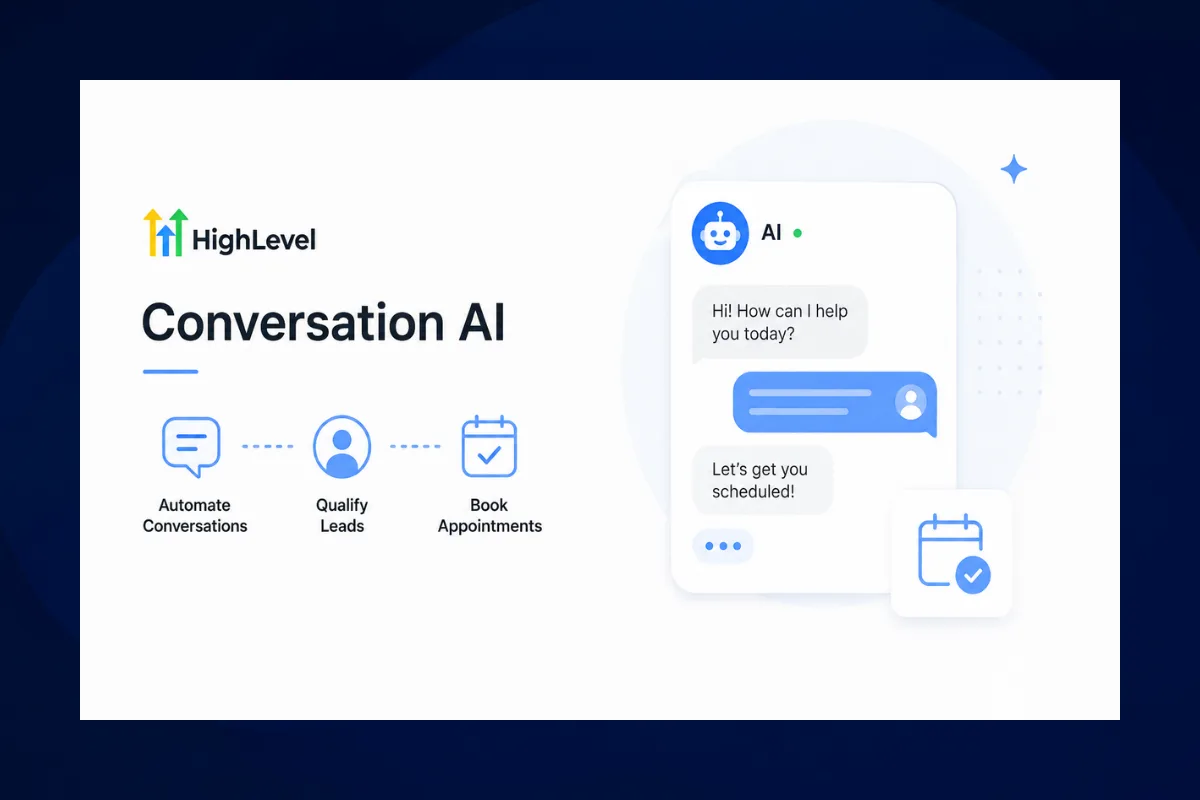
GoHighLevel built Conversation AI to solve this exact problem. It is an AI-powered chatbot that lives inside your CRM, handles conversations across SMS, web chat, Facebook Messenger, Instagram DMs, WhatsApp, and email, and does it all without you lifting a finger. It qualifies leads, answers questions, books appointments, and hands off to a human when the situation calls for it.
This is not a clunky decision-tree chatbot from 2019. Conversation AI uses large language models to understand context, respond naturally, and actually move conversations toward a booking. If you are running a coaching or consulting business and you are not using this feature, you are leaving money on the table every single day.
Let's break down exactly how to set it up, train it, and turn it into your highest-performing team member.
What Is GoHighLevel Conversation AI?
Conversation AI is GoHighLevel's built-in artificial intelligence chatbot system. It plugs directly into your GHL sub-account and handles inbound and outbound conversations across every channel the platform supports.
Here is what it actually does:
- Responds to leads instantly, 24 hours a day, 7 days a week
- Qualifies prospects by asking screening questions before booking
- Books appointments directly into your GHL calendar
- Answers FAQs about your services, pricing, availability, and process
- Routes conversations to a human agent when the AI reaches its limit
- Works across channels: SMS, web chat, Facebook Messenger, Instagram DM, WhatsApp, Google Business Messages, and email
- Integrates with workflows so you can trigger automations based on AI conversation outcomes
The key difference between Conversation AI and a standard chatbot is context awareness. Traditional chatbots follow a script. If the lead says something unexpected, the bot breaks. Conversation AI processes the full conversation history, understands intent, and responds accordingly.
“Speed to lead is not a buzzword. It is the difference between a full calendar and a dead pipeline.”
Why Conversation AI Matters for Coaches and Consultants
If you sell high-ticket services, your sales process probably looks something like this: generate leads through ads or content, nurture them with email sequences, get them on a discovery call, close the deal. The bottleneck is almost always between lead capture and the booked call.
Here are the numbers that should keep you up at night:
- 78% of customers buy from the first responder. Not the best offer. The first response.
- The average response time for B2B leads is 42 hours. That is not a typo.
- Leads contacted within 5 minutes are 21x more likely to convert than leads contacted after 30 minutes.
You cannot hire enough people to respond to every lead within 5 minutes, around the clock, across every channel. But an AI bot can. And it does not take sick days, forget to follow up, or get distracted by Instagram between messages.
For coaching businesses specifically, Conversation AI handles the most repetitive and time-consuming part of client acquisition: the back-and-forth before the booking. Questions about pricing, what the program includes, whether it is a good fit, scheduling availability. The bot handles all of it while you focus on delivering results for existing clients.
“You cannot hire enough people to respond to every lead within 5 minutes, around the clock, across every channel. But an AI bot can.”
How to Set Up GoHighLevel Conversation AI
Setting up Conversation AI is straightforward, but getting it right requires some thought. A poorly configured bot is worse than no bot at all. Here is the step-by-step process.
Step 1: Access Conversation AI
Navigate to your GHL sub-account. In the left sidebar, go to Automation and then Conversation AI. If you do not see this option, your plan may not include it. Conversation AI is available on the Agency Unlimited plan and higher, and it is included in most agency-level subscriptions as of 2026.
Step 2: Create a New Bot
Click Create New Bot. You have two options:
- Guided Form Setup: GHL walks you through a step-by-step wizard. Best for beginners.
- Custom Prompt Setup: You write the bot's instructions manually. Best for experienced users who want full control.
For most coaches and consultants, start with the Guided Form Setup. You can always switch to custom prompts later once you understand how the bot behaves.
Step 3: Define the Bot's Identity
Give your bot a name and personality. This matters more than you think. A bot named "Support Bot" feels robotic. A bot named "Sarah from [Your Brand]" feels human.
Configure these settings:
- Bot Name: Something human and approachable (e.g., "Jamie from Havstock")
- Role Description: What the bot does (e.g., "You are a friendly client success assistant for a business coaching company")
- Tone: Professional but conversational. Match your brand voice.
- Boundaries: What the bot should never do (e.g., "Never discuss refund policies," "Never make promises about specific results")
Step 4: Set Your Bot's Goals
Every bot needs a clear objective. For coaching businesses, the primary goal is almost always: book a discovery call.
Secondary goals might include:
- Qualify the lead before booking (budget, timeline, current situation)
- Collect contact information (email, phone number)
- Answer common questions about your program
- Direct people to specific resources (lead magnets, case studies, pricing pages)
The clearer your goal hierarchy, the better the bot performs. A bot trying to do everything does nothing well.
Step 5: Train With FAQs and Knowledge Base
This is where most people cut corners, and it shows. Your bot is only as good as the information you feed it.
FAQ Training: Add every question prospects ask you repeatedly. Pull from your inbox, DMs, sales calls, and support tickets. Think about:
- What does the program include?
- How much does it cost?
- How long is the program?
- What results can I expect?
- Is there a payment plan?
- What makes you different from other coaches?
- How do the calls work?
- What if I am a beginner?
Web Crawler Training: Point the bot at your website, sales pages, and FAQ pages. It scrapes the content and uses it to answer questions accurately. This is incredibly powerful because the bot pulls real information instead of making things up.
Custom Training Documents: Upload PDFs, documents, or paste text that the bot should reference. Program outlines, testimonials, case study summaries, and service descriptions all work well here.
“Your bot is only as good as the information you feed it. Train it like you would train a new team member.”
Step 6: Configure Channels
Choose which channels the bot should be active on:
- Web Chat: The chat widget on your website
- SMS: Text message conversations
- Facebook Messenger: Messages from your Facebook page
- Instagram DM: Direct messages on Instagram
- WhatsApp: WhatsApp Business messages
- Google Business Messages: Messages through your Google Business Profile
- Email: Email-based conversations
You can enable different bots on different channels, or use the same bot across all of them. For most coaching businesses, start with Web Chat + SMS. These two channels capture the highest-intent leads.
Step 7: Set Handoff Rules
The bot should never pretend to be something it is not. Configure clear handoff triggers:
- Maximum message count: After X messages, transfer to a human. This prevents the bot from going in circles with a confused prospect.
- Keyword triggers: If the lead says "speak to a person," "real human," or "manager," transfer immediately.
- Sentiment detection: If the conversation turns negative, hand off to a human.
- Booking confirmation: After successfully booking an appointment, let the lead know a team member will confirm.
The handoff experience matters. A smooth transition feels professional. An abrupt one feels like the bot broke.
Advanced Conversation AI Strategies
Once your bot is running, these strategies will take it from useful to indispensable.
Appointment Booking Workflow
The most powerful use case for coaching businesses is AI-powered appointment booking. Here is how to set it up:
- Create a Workflow: Go to Automations and create a new workflow
- Set the Trigger: "Customer Replied" on the channels you want
- Add the Conversation AI Action: Select your trained bot
- Connect Your Calendar: Link the bot to your GHL calendar so it can see real-time availability
- Set Confirmation Actions: After booking, trigger a confirmation email, SMS reminder sequence, and pipeline stage update
The bot handles the entire conversation: greeting, qualification, objection handling, availability checking, and booking. You wake up to a calendar full of qualified discovery calls.
Lead Qualification Before Booking
Not every lead deserves a spot on your calendar. Configure your bot to ask qualification questions before offering appointment times:
- "What is your current monthly revenue?"
- "Have you worked with a coach or consultant before?"
- "What is your biggest challenge right now?"
- "What is your timeline for making a change?"
Based on the answers, the bot can:
- Book immediately if the lead is qualified
- Send a resource if the lead is not ready yet (e.g., a lead magnet or case study)
- Tag the contact in your CRM for appropriate follow-up sequences
- Notify your team if a high-value lead comes through
This saves you from spending 30 minutes on a call with someone who has a $500 budget for a $10,000 program.
“Not every lead deserves a spot on your calendar. Let the bot qualify so you can focus on closing.”
Multi-Bot Strategy
GoHighLevel supports multiple bots within a single sub-account. This opens up some interesting possibilities:
- Sales Bot: Handles inbound leads, qualifies, and books calls
- Support Bot: Handles existing client questions, troubleshooting, and onboarding
- Re-engagement Bot: Reaches out to cold leads in your database with a new offer or content
Each bot has its own training data, personality, and goals. The sales bot is enthusiastic and action-oriented. The support bot is patient and thorough. The re-engagement bot is casual and value-first.
Workflow Integration
Conversation AI becomes exponentially more powerful when connected to GHL workflows. Some examples:
- New lead fills out form → Bot sends welcome message via SMS → Qualifies → Books call → Adds to pipeline → Triggers reminder sequence
- Lead visits pricing page but does not book → Bot reaches out 30 minutes later via web chat → Offers to answer questions → Books call
- Existing client has not logged in for 7 days → Support bot checks in via SMS → Offers help → Flags for team review if needed
- Discovery call no-show → Bot follows up 15 minutes after missed call → Offers to reschedule → If no response after 24 hours, enters nurture sequence
These automations run 24/7 without any manual intervention.
Common Mistakes to Avoid
Making the Bot Too Aggressive
Nobody wants to feel like they are being sold to by a robot. If your bot pushes for a booking in the first message, prospects will disengage. Let the conversation breathe. Answer questions first, build rapport, then guide toward the booking.
Skipping the Training Phase
A bot that says "I am not sure about that, let me connect you with a team member" every other message is not helpful. Invest time in training. Add FAQs. Use the web crawler. Upload your program documentation. The more information the bot has, the fewer dead-end conversations it creates.
Forgetting Mobile Experience
Over 70% of your leads are on mobile devices. Test your web chat widget on mobile. Make sure it does not block important content, loads quickly, and is easy to type in. A chat bubble that covers your CTA button on mobile is a conversion killer.
Ignoring Analytics
Conversation AI provides detailed analytics: conversation volume, resolution rate, booking rate, handoff rate, average messages per conversation. Review these weekly. If your handoff rate is above 30%, your training needs work. If your booking rate is below 10%, your qualification flow might be too aggressive.
Not Having a Human Backup
AI is powerful, but it is not perfect. Always have a system for human takeover. Staff should be notified when the bot hands off a conversation, and the transition should include the full conversation history so the human does not ask the same questions again.
“AI is powerful, but it is not perfect. Always have a system for human takeover.”
Conversation AI vs. Hiring a Virtual Assistant
Let's talk numbers. A virtual assistant who handles lead response costs $1,500 to $3,000 per month, works 8 to 10 hours a day, and handles one conversation at a time. They need training, management, and replacement if they leave.
GoHighLevel Conversation AI costs a fraction of that. It works 24/7, handles unlimited simultaneous conversations, never needs a day off, and improves over time as you refine its training. It will not replace your entire team, but it handles the first 80% of conversations that are repetitive and predictable. Your team focuses on the 20% that actually need a human touch.
For a solo coach doing $10K to $30K per month, Conversation AI eliminates the need to hire a dedicated appointment setter entirely. For agencies managing multiple clients, it scales across sub-accounts without multiplying your staff costs.
Real-World Use Case: Coaching Business
Here is how a typical coaching business might deploy Conversation AI:
The Setup:
- Funnel drives traffic to a landing page
- Landing page captures lead via form
- Lead enters GHL CRM with tag "New Lead"
The Bot Flow:
- Lead fills out form → Workflow triggers → Bot sends SMS: "Hey [Name], thanks for checking out [Program]. Quick question: what is the biggest challenge you are facing in your business right now?"
- Lead responds → Bot engages in natural conversation, asking 2-3 qualification questions
- If qualified → Bot offers calendar link: "Based on what you have shared, I think a quick strategy call with [Coach Name] would be really valuable. Here are some open times this week..."
- If not qualified → Bot sends a lead magnet: "I think our free guide on [topic] would be a great starting point. I will send it over now."
- After booking → Confirmation email, SMS reminder 24 hours before, SMS reminder 1 hour before
- No-show → Bot follows up to reschedule
The Results:
- Response time drops from hours to seconds
- Booking rate increases because leads are engaged while they are still warm
- Calendar fills with pre-qualified prospects
- The coach spends zero time on lead chasing
This is the kind of automation that High Ticket OS was built to support. The funnel captures the lead, the AI qualifies and books, and the coach shows up to close.
Pricing and Plans
Conversation AI is included in GoHighLevel's agency plans, but the AI message credits work on a usage-based model. Here is the breakdown:
- Included messages: Most plans include a base allocation of AI messages per month
- Additional messages: Purchased in bundles if you exceed the allocation
- Cost per message: Typically a fraction of a cent per AI message
- Workflow AI actions: Billed separately from conversation messages
For most coaching businesses doing 50 to 200 leads per month, the included allocation is more than enough. If you are running a high-volume agency managing dozens of clients, the per-message cost still comes out significantly cheaper than human labor.
The ROI math is simple. If the bot books even 5 additional discovery calls per month that you would have missed due to slow response times, and you close 2 of them at $3,000 each, that is $6,000 in revenue from a tool that costs a tiny fraction of that.
Setting Up Your First Conversation AI Bot: Quick Start Checklist
If you want to get started today, here is the bare minimum to have a working bot:
- Navigate to Automation and then Conversation AI in your GHL sub-account
- Click Create New Bot and select Guided Form Setup
- Name the bot something human and friendly
- Write a role description that defines what the bot does and how it should behave
- Add 10 to 15 FAQs covering your most common prospect questions
- Point the web crawler at your website and key pages
- Connect the bot to your GHL calendar for appointment booking
- Enable the bot on web chat and SMS channels
- Set a maximum message count of 15 to 20 before human handoff
- Test the bot yourself by sending test messages across enabled channels
- Review conversations after the first 48 hours and add any missing FAQ answers
You can go from zero to a working bot in under an hour. Refinement takes longer, but the initial setup is fast.
“You can go from zero to a working bot in under an hour. Refinement takes longer, but the initial setup is fast.”
FAQ
How much does GoHighLevel Conversation AI cost?
Conversation AI is included in GoHighLevel's agency-level plans. You get a base allocation of AI messages each month, and additional messages are available at a per-message rate. For most small businesses, the included allocation covers normal usage without any extra cost.
Can Conversation AI book appointments directly?
Yes. When connected to your GoHighLevel calendar through a workflow, the bot can check real-time availability and book appointments directly into your calendar. It sends confirmation messages and can trigger reminder sequences automatically.
Does the AI bot work on SMS and social media?
Yes. Conversation AI works across SMS, web chat, Facebook Messenger, Instagram DM, WhatsApp, Google Business Messages, and email. You can enable or disable channels individually and even assign different bots to different channels.
Will leads know they are talking to a bot?
That depends on how you configure it. Some businesses are transparent about using AI assistance, while others let the bot respond under a team member's name. Best practice is to be upfront. Most people do not mind talking to AI as long as it is helpful and responsive.
Can I train the bot on my specific business information?
Absolutely. You can train it using FAQs, web crawler (pointing it at your website), and custom documents. The more training data you provide, the more accurate and helpful the bot becomes. You can also provide feedback on individual responses to improve its accuracy over time.
What happens when the AI cannot answer a question?
You configure handoff rules that transfer the conversation to a human agent. The handoff can be triggered by keyword detection, sentiment analysis, maximum message count, or when the bot detects it does not have enough information to respond helpfully.
How is Conversation AI different from a regular chatbot?
Traditional chatbots follow pre-built decision trees. If the user says something unexpected, the bot breaks. Conversation AI uses large language models to understand context, intent, and nuance. It can handle unexpected questions, follow conversation threads, and respond naturally rather than robotically.
Can I use Conversation AI for existing clients, not just leads?
Yes. Many businesses run separate bots for lead engagement and client support. A support bot can handle onboarding questions, scheduling changes, program FAQs, and check-ins. This reduces the support load on your team and gives clients instant answers outside business hours.
**Ready to automate your lead response and fill your calendar with qualified discovery calls? The High Ticket OS gives you the complete funnel system that pairs perfectly with Conversation AI. Grab it and start booking more calls today.