
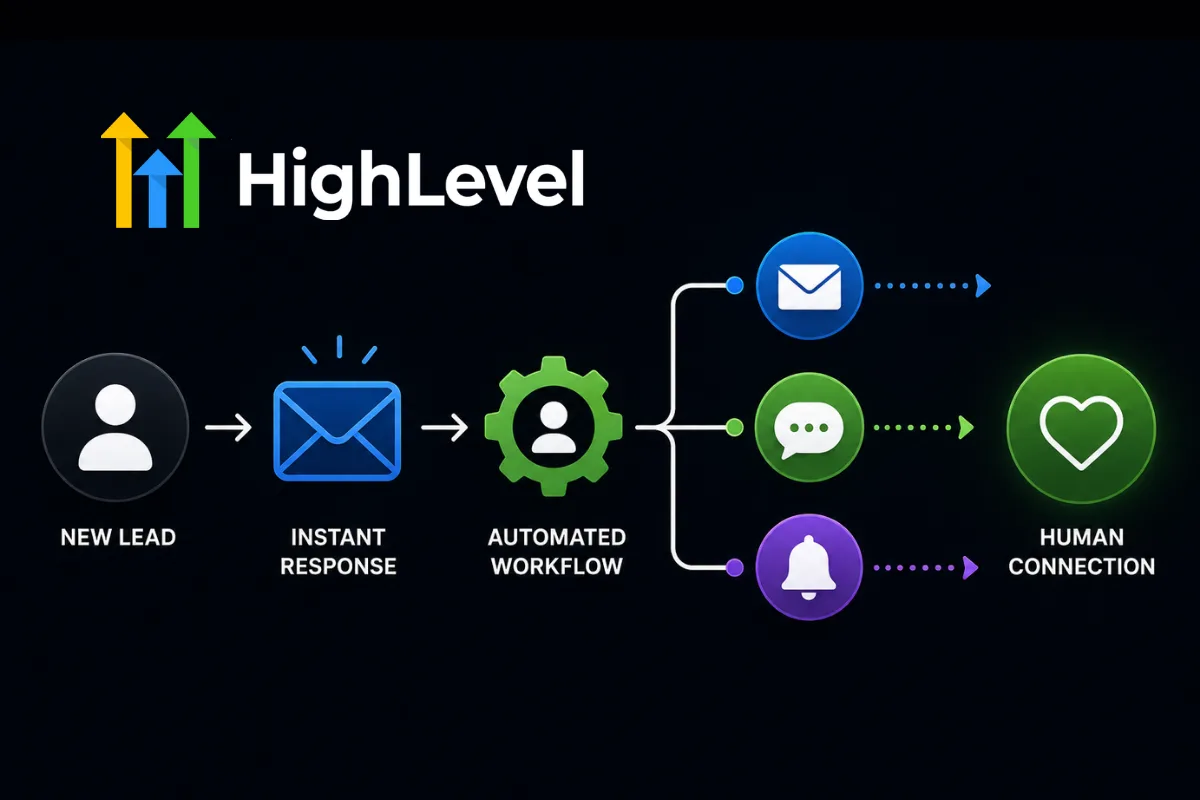
Getting a new lead should be exciting.
But for many businesses, it creates another task on an already crowded to-do list.
Someone fills out a form.
Someone sends a message.
Someone requests more information.
Then the business owner gets distracted by three other things.
By the time they follow up, the lead may already be talking to someone else.
Automation solves the timing problem.
But there's a concern.
If every message sounds robotic, customers can immediately tell they're talking to an automated system.
The goal isn't to choose between automation and personalization.
It's to combine them.
In this guide, we'll explore how businesses can automate lead follow-up while still creating a human customer experience.
Why Fast Follow-Up Matters
When someone expresses interest in your product or service, their attention is high.
They may be actively researching their options.
If you don't respond quickly, that attention can disappear.
Automated follow-up helps ensure that every inquiry receives a response even when your team is unavailable.
The first message might simply confirm:
"We received your request and someone from our team will be in touch shortly."
That alone creates reassurance.
Use a CRM as the Foundation
Automation works best when your customer information is organized.
A CRM can track:
Contact information
Lead source
Conversation history
Pipeline stage
Appointments
Follow-up activity
Customer status
GoHighLevel can be used to centralize these details and trigger workflows based on customer actions.
This prevents leads from disappearing into spreadsheets, inboxes, or sticky notes.
Start with a Human Welcome
Your first automated message doesn't need to sound like a robot.
Instead of:
"Thank you for your submission. Your inquiry has been received."
Try something more natural:
"Hey! Thanks for reaching out. We received your request and will get back to you shortly."
Small changes in language make automated communication feel much more conversational.
Personalize Your Follow-Up
Automation doesn't mean sending the exact same message to everyone.
Use available information to make messages more relevant.
For example:
First name
Service requested
Location
Appointment type
Lead source
Previous interaction
A message that references what the person actually requested feels much more personal.
Use Email and SMS Strategically
Different communication channels serve different purposes.
Email works well for:
Educational content
Detailed information
Resources
Follow-up sequences
SMS works well for:
Appointment reminders
Quick questions
Important updates
Time-sensitive follow-up
Don't send messages simply because the automation allows you to.
Every message should have a purpose.
Build a Lead Nurturing Sequence
Not every lead is ready to buy immediately.
A simple nurturing workflow could look like:
This creates multiple opportunities to engage without requiring someone on your team to remember every follow-up.
Know When to Hand Off to a Human
This is one of the most important parts of automation.
AI and automation should know when they're no longer appropriate.
Examples of human handoff triggers include:
Customer requests a person
Complex question
Pricing negotiation
Complaint
High-value opportunity
Unusual request
Automation handles the predictable.
Humans handle the important.
Use AI to Make Messages Better
AI can help create and refine follow-up messages.
You can provide:
Customer profile
Offer details
Common objections
Brand voice
Desired action
Then use AI to generate different versions of your messaging.
This can help your team test different approaches without manually writing every variation.
Build Different Workflows for Different Leads
Not every lead should enter the same sequence.
A better system might separate:
This creates a more relevant customer experience.
Avoid Over-Automation
More automation doesn't necessarily mean better automation.
Sending five emails and three SMS messages in one day isn't a customer experience.
It's a hostage situation.
The goal is to communicate enough to be helpful without becoming annoying.
Monitor:
Response rates
Unsubscribe rates
Appointment bookings
Conversion rates
Customer feedback
Then adjust your workflows.
A Human-Centered Follow-Up System
A strong system might look like:
This balances speed with personal attention.
Common Lead Follow-Up Mistakes
Businesses often lose leads because they:
Respond too slowly
Send generic messages
Follow up inconsistently
Never ask for the next step
Send too many messages
Don't track conversations
Don't separate hot and cold leads
Never follow up after a missed appointment
A simple automated system can solve many of these problems.
Automation doesn't have to make your business feel less human.
When designed correctly, it can actually make your customer experience better.
Leads receive faster responses.
Important information isn't forgotten.
Follow-up happens consistently.
And your team gets more time to have meaningful conversations with customers.
The best automation isn't invisible because it's trying to hide.
It's invisible because it simply makes the customer journey easier.
Frequently Asked Questions
Can automated lead follow-up feel personal?
Yes. Personalization, relevant messaging, proper timing, and human handoffs can make automated communication feel natural.
How quickly should a business follow up with a new lead?
The sooner the better. An immediate confirmation followed by timely human or automated follow-up helps maintain the prospect's interest.
Should lead follow-up use email or SMS?
Both can be useful. Email is better for detailed information, while SMS works well for short, timely communication and appointment-related messages.
When should automation stop?
Automation should hand the conversation to a human when the lead has a complex question, requests personal assistance, becomes highly qualified, or enters a situation that requires judgment.
Build Better Lead Follow-Up Systems with Havstock
Great lead generation means very little if leads aren't followed up with consistently.
At Havstock, we help businesses and agencies build smarter marketing systems that combine CRM technology, automation, AI, and human communication.
From lead capture and nurturing to appointment booking and client onboarding, our resources can help you create workflows that respond faster without making your business feel robotic.
Explore Havstock's guides, templates, and automation strategies to build a lead follow-up system that works even when you're busy.